


Streamline Your Document Approval Workflow
Ensure every signature and data field is correct before routing to the next signer. Prevent errors and keep your eSignature workflows moving—no restarts required.
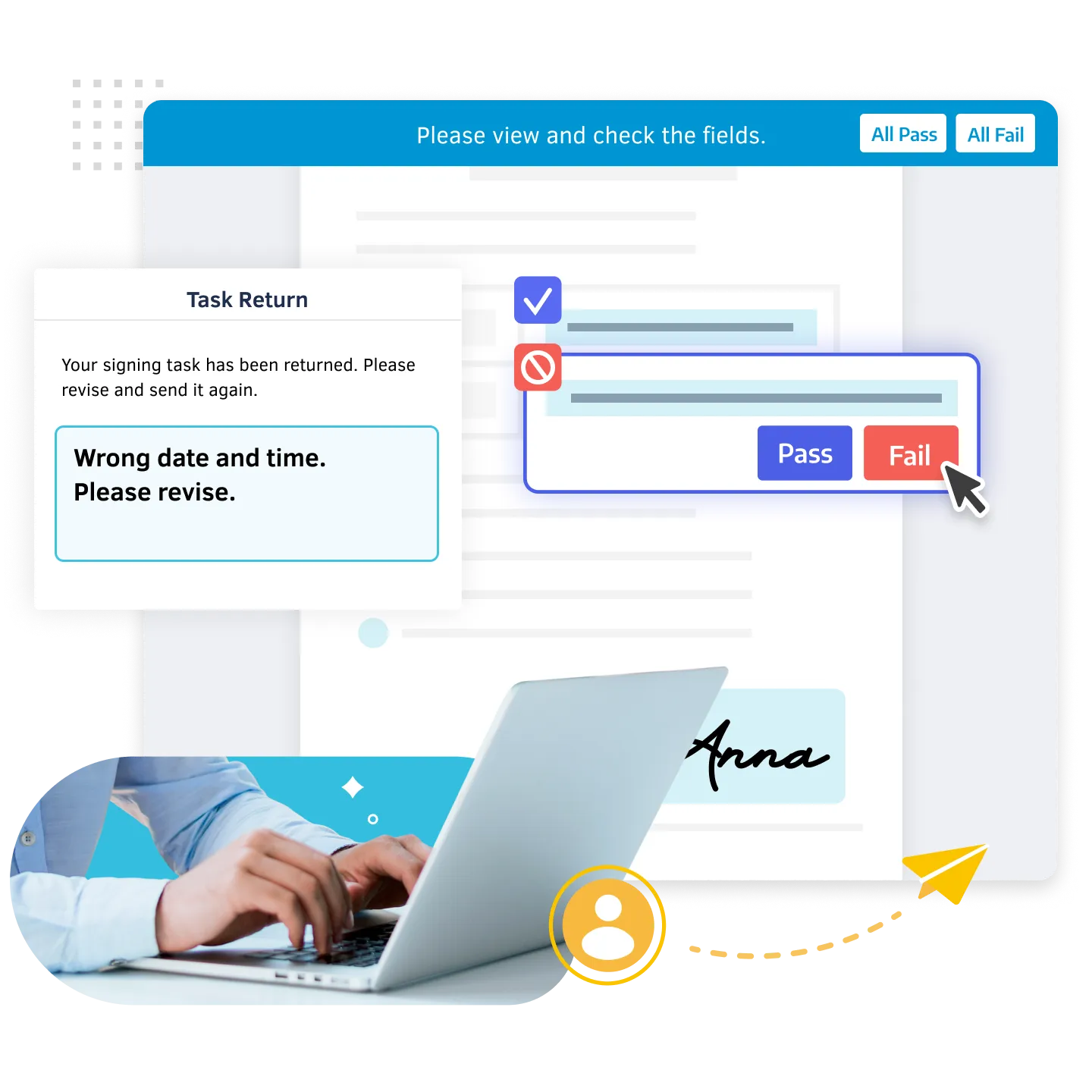
Delivering Value to All Teams and Workflows
Error Detection
Flag mistakes or missing fields for instant correction. Once fixed, resume the workflow without restarting to ensure full compliance before the final stage.

Time Savings
Eliminate manual delays and rework caused by incorrect documents. Streamline approvals, accelerate processes, and keep business moving without interruptions.

Team Collaboration
Bring Legal, Compliance, and relevant teams into the workflow to ensure policy-aligned approvals, while keeping everyone in sync throughout the review process.
Smarter Reviews for Seamless Approvals
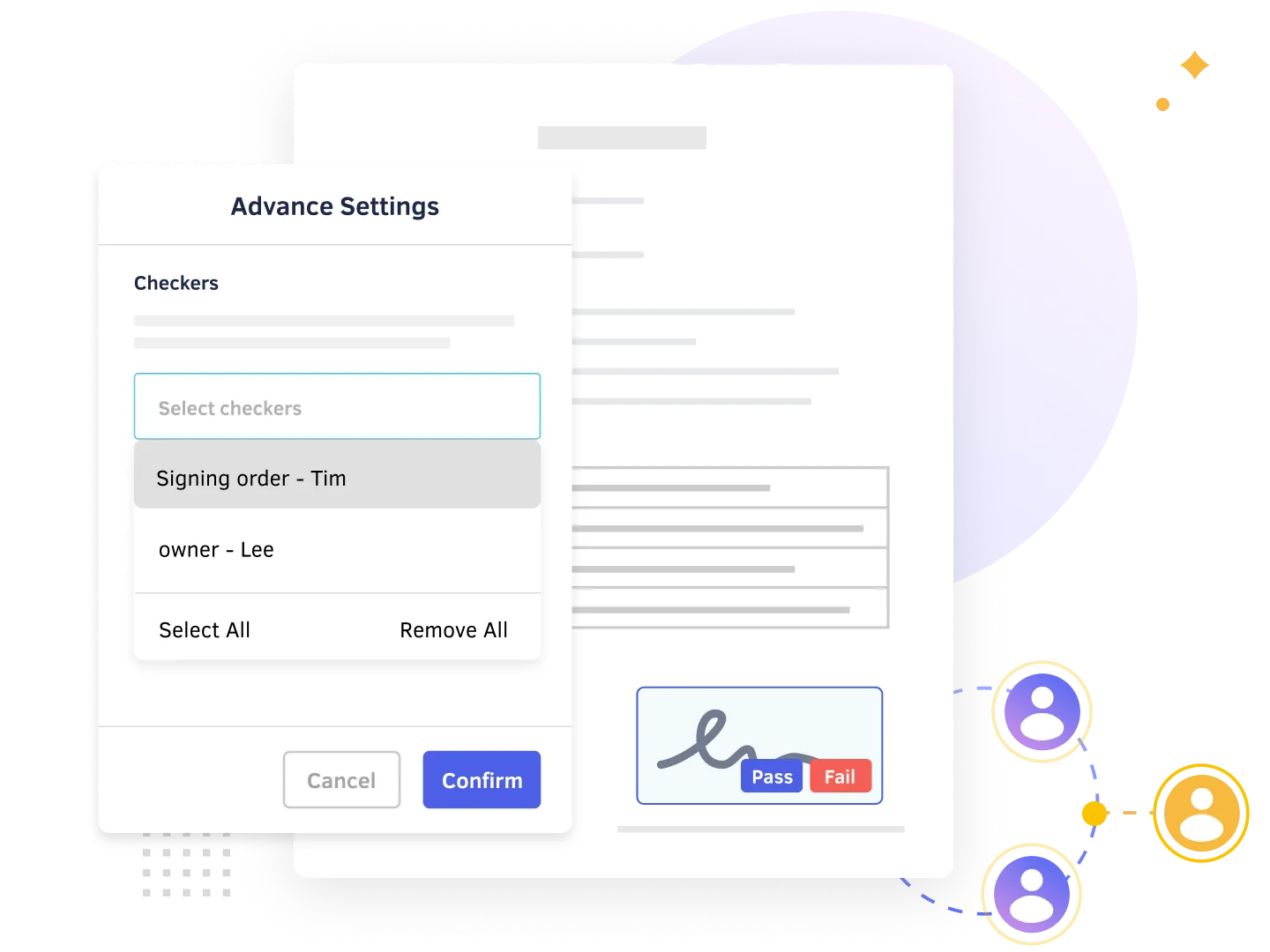
Assign Task Checkers in Your Workflow
- Assign one or multiple checkers to verify signatures, data fields, and attachments. Flexible configurations allow checkers to perform a final check after signers make corrections, ensuring end-to-end rigor throughout the entire process
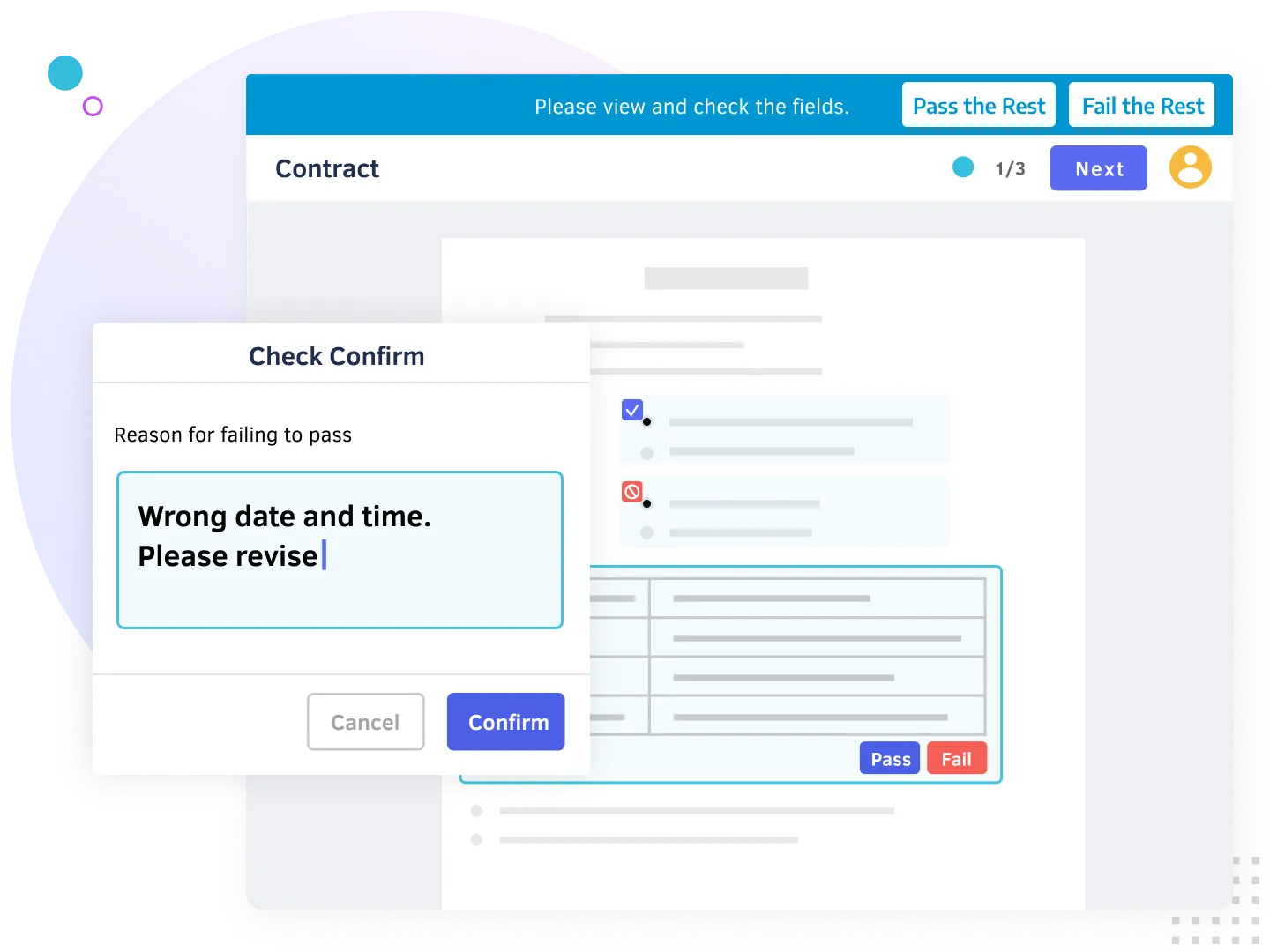
Approve Signed Documents Instantly
- Checkers get notified when it’s their turn to verify data fields, approve in bulk, or request quick revisions from signers. When returning documents, checkers can include a message for signers to ensure clear communication, keeping the process moving without any friction
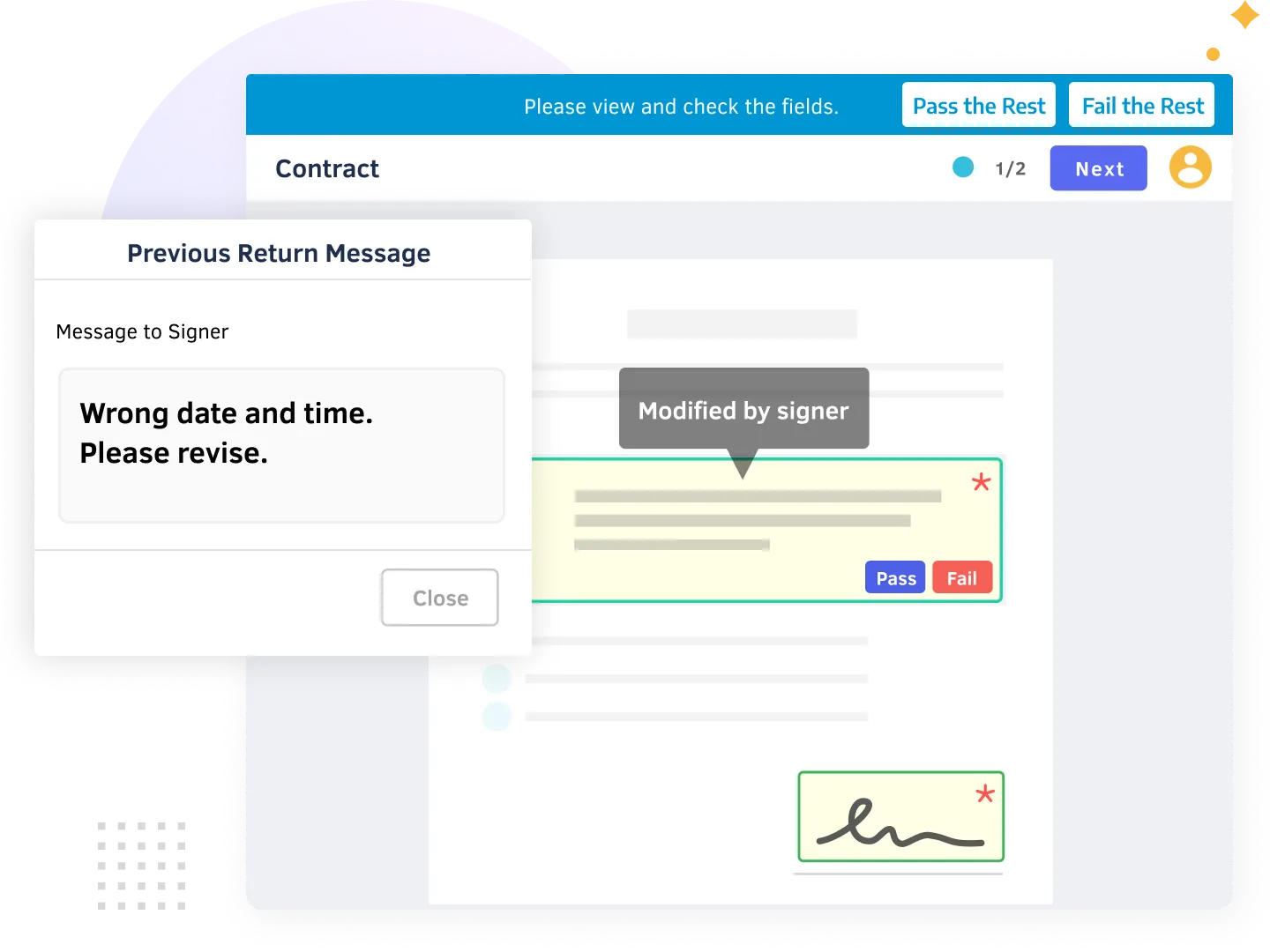
Request Document Revisions with Ease
- Signers can quickly update documents and make revisions when requested by checkers. Without restarting the workflow, approvals stay on track and documents remain accurate. Reviewers can easily track changes and perform a final review.
Expedite Reviews for Error-Free Signing Today!
DottedSign Interactive Demo – Reviewing and Approving Document
Review documents throughout the checking process, ensuring every signature and data field is completed without errors.
Trusted by 1M+ Users Globally
Frequently Asked Questions
What is Check and Return?
The Check and Return feature allows you to assign a task checker to verify the information in a task before it proceeds to other parties. This ensures the accuracy of critical documents and streamlines the approval workflow for you and your team.
What is a task checker?
A Task Checker reviews the content submitted by signers. They can approve the task if all fields and attachments are completed correctly or return it for revision if any information is missing or incorrect.
Depending on your business workflow, you can assign one or multiple checkers to a signer.
How can I use the Check and Return feature?
Check and Return is a premium feature available for DottedSign Business plan and above. Start a free trial of the Business plan to experience it firsthand.
Which signing modes support this feature?
The Check and Return feature is available only for “Get Signatures” and "Bulk Send" tasks. It does not apply to “Sign Yourself” or “Front Desk Signing” tasks.
Capture eSignatures With DottedSign Today.
Powered by KDAN


